
KLEVV NEO N400 SSD Data Recovery: Resolving SM2258XT Firmware Panic Protocols
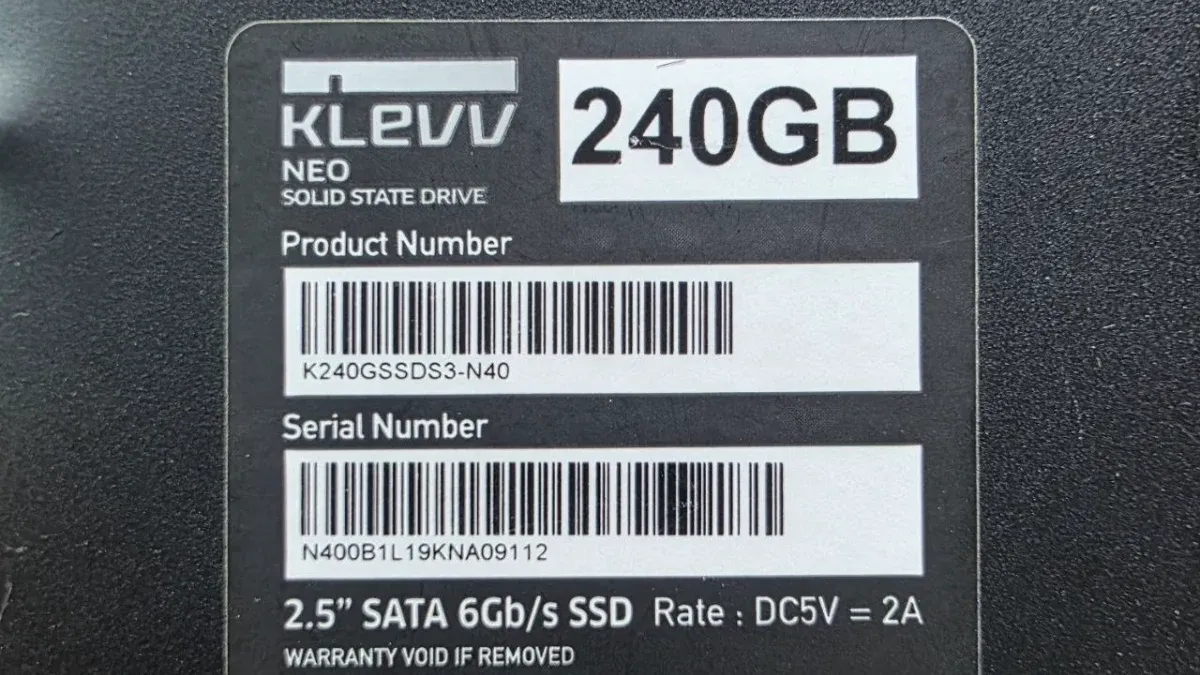
The KLEVV NEO N400 solid-state drive represents a widely distributed budget storage solution built around the Silicon Motion SM2258XT controller paired with SK Hynix 3dv4-72L TLC NAND Flash chips. However, this engineering design carries a critical structural vulnerability related to the architecture of the controller and its microcode.
Mechanical and Firmware Analysis: The Silicon Motion SM2258XT Dilemma
When studying the mechanics of these drives, we find that the direct interaction between physical components and the internal operating system plays the primary role in this sudden firmware collapse.
DRAM-less Architecture and Its Impact on Stability
The SM2258XT is classified as a DRAM-less controller, meaning it lacks external high-speed cache memory. It relies entirely on a restricted segment of the processor’s internal SRAM to manage the Flash Translation Layer (FTL) tables. As the TLC NAND chips age and accumulate bad sectors, the firmware fails to manage these massive allocation tables, resulting in severe resource exhaustion.
Firmware Panic and the Infinite Boot Loop
When bad blocks exceed the error correction limits of the ECC engine, the controller enters an infinite boot loop. This state, technically defined as a Firmware Panic, forces the SSD to enter an immediate protective lockout mode. This manifests physically as a persistent busy state (BSY) with complete denial of logical access (No Logical Access), rendering the device dead to standard operating systems.
Lab Diagnostic Protocol and Bypassing the BSY State
Handling drives stuck in a BSY state within our engineering lab requires rigorous physical inspection to confirm the integrity of the power supply rails and passive components before moving to the PC-3000 Express professional hardware environment.
Once electronic health is verified, we identify that the failure is purely firmware-based, stemming from the bootloader’s inability to initialize the NAND array. This requires temporarily isolating the memory chips to regain processor control and initiate a safe imaging strategy.
Accessing the Service Area via Safe Mode and Loader Uploading
To modify operational parameters directly within the drive’s RAM, we must first break the controller’s silence and interface with its technological subsystems using safe mode protocols.
ROM Short-Circuiting and CPU Interruption
We perform a precise physical short-circuit across the designated ROM points on the PCB before applying power to the drive. This bypass blocks the controller’s processor from accessing the corrupted NAND array, forcing it to boot using the primitive kernel microcode stored in its internal ROM. This hardware intervention successfully forces the SSD to report a ready state (Ready: Yes).
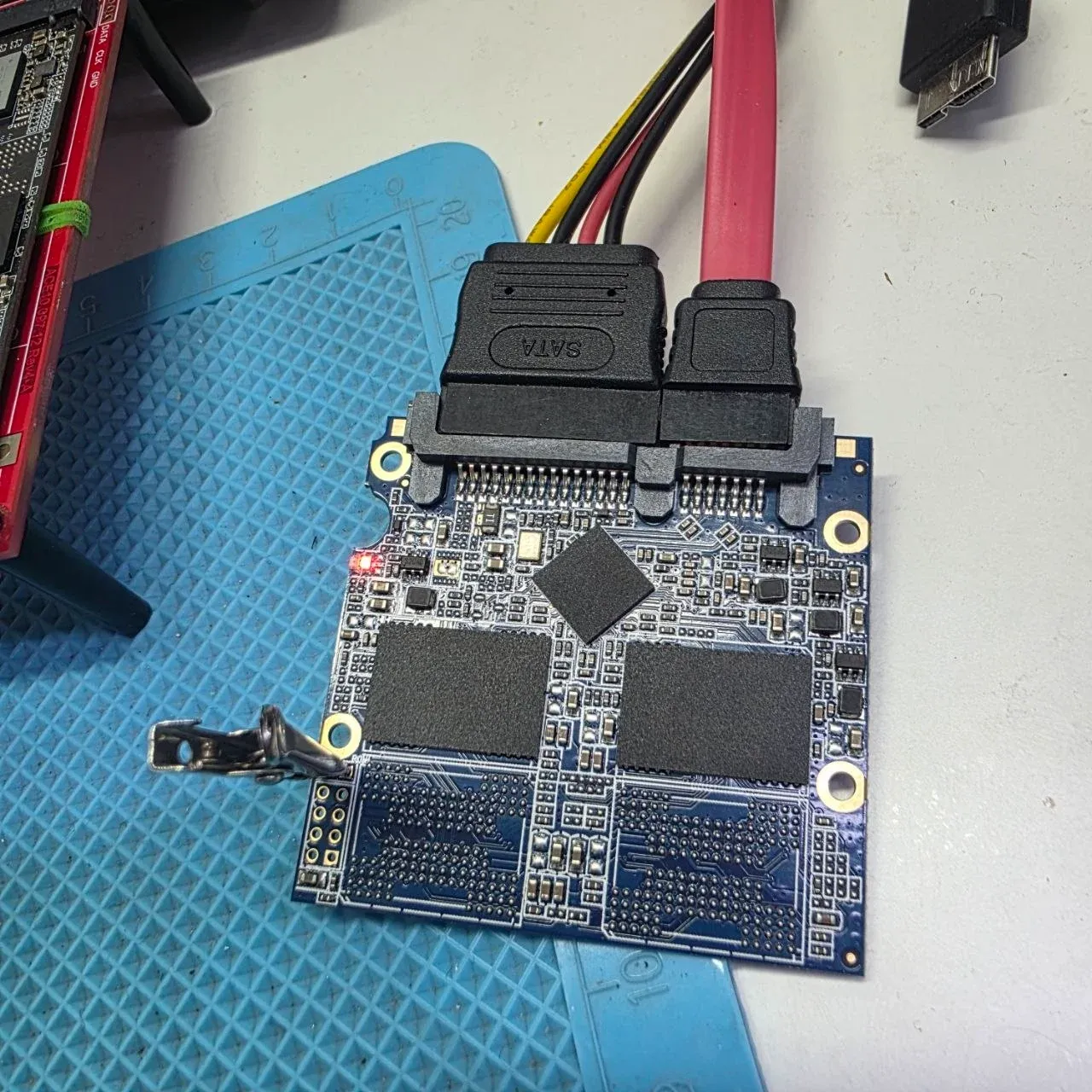
Gaining Firmware Control via Safe Mode
Although safe mode is active and communication with the controller is established, the NAND memory remains locked against read commands. To overcome this, we programmatically upload a compatible technological “Loader” into the SSD’s RAM, specifically optimized for SK Hynix 72-Layer TLC NAND. The loader operates as a temporary firmware extension, establishing low-level physical access and unlocking the raw NAND cells.
Virtual Translator Engineering and Data Extraction
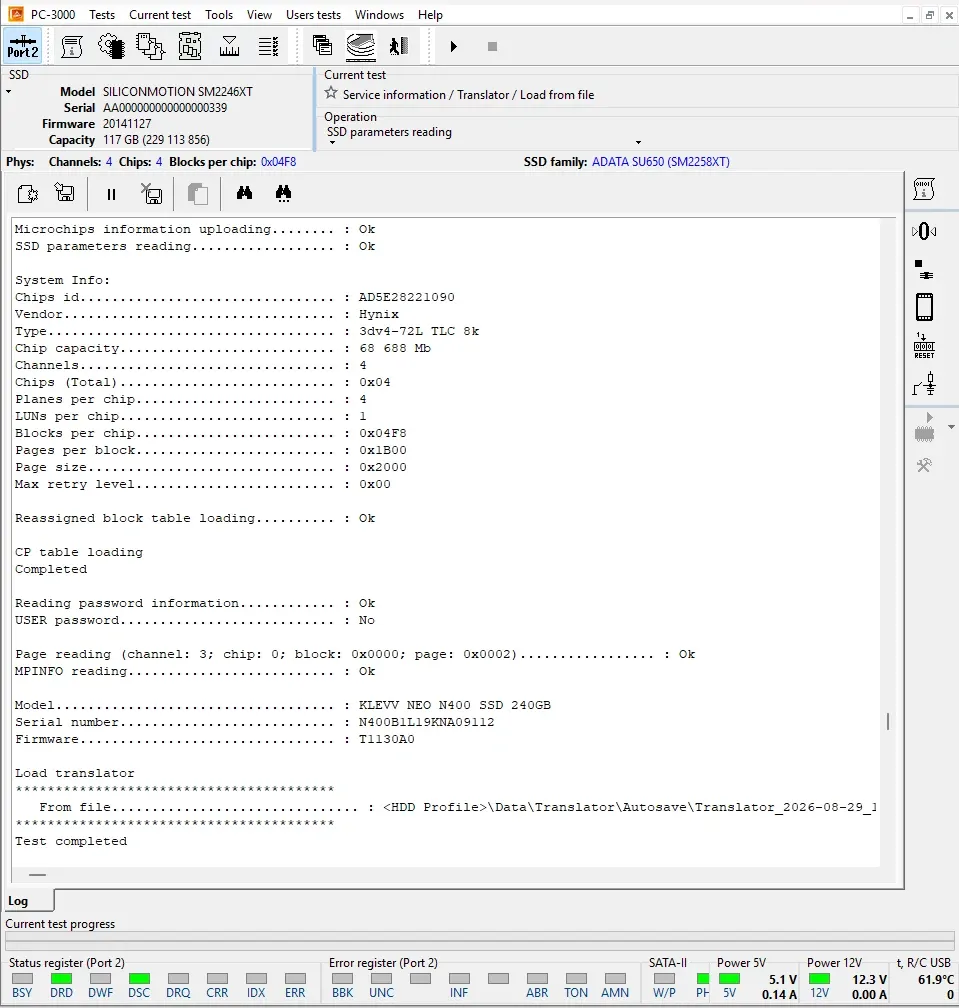
The Flash Translation Layer (FTL) is the primary logical matrix that translates logical block addresses (LBA) into physical memory coordinates (chip, block, page). In this case, the drive’s physical translator was heavily corrupted, rendering traditional logical read commands useless.
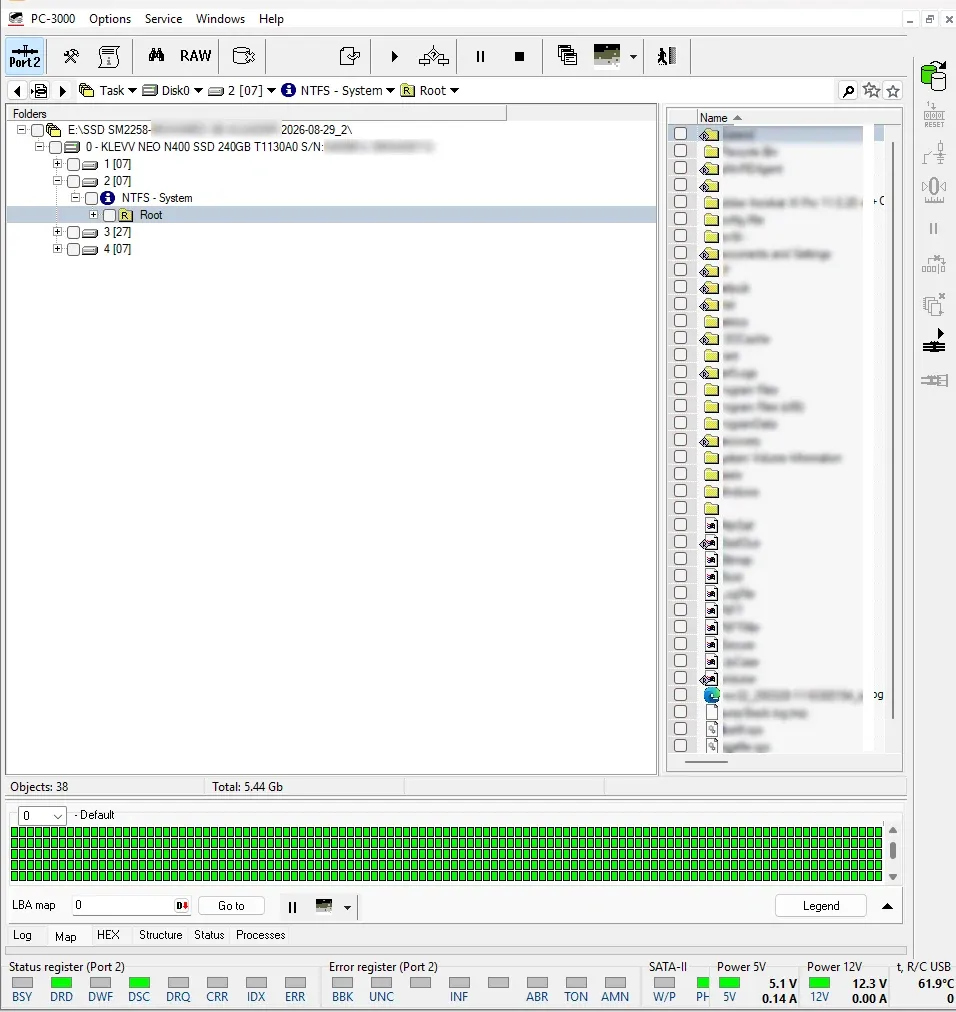
To prevent any structural degradation of the media, we engineered a completely logical bypass. Instead of attempting physical repair or writing back metadata to the stressed NAND cells, we reconstructed a Virtual Translator by loading a previously autosaved translator file from our lab database profile. This directly mapped the logical structure into the drive’s RAM in a strict read-only state. We then configured Data Extractor to read sector-by-sector using the Active Utility instance. Bypassing the corrupted physical translator allowed us to extract the entire user directory structure and original file naming hierarchies with a 100% success rate.
Critical Precautions: Avoiding Commercial Production Tools (MPTools)
Our engineering team strongly warns against utilizing commercial mass-production software, commonly referred to as MPTools. These utilities are strictly designed for manufacturing and factory refurbishment. Their routines involve executing low-level formatting (Preformat), resetting all allocation tables, and zero-filling the NAND blocks. Applying these tools to a corrupted drive will physically erase the flash cells, resulting in the permanent, irreversible destruction of all user data.
Need professional help?
Our experts at Al-Fares Center are ready to recover your data using state-of-the-art technology with a 95%+ success rate.